This course is part of the Agentic AI ExpertTrack
Agentic AI: Tool Integration, MCP, and Agent Frameworks
Gain practical AI engineering skills by building production-ready agents, mastering MCP, and comparing leading agent frameworks.

Duration
3 weeksWeekly study
3 hours100% online
How it worksIncluded in an ExpertTrack
Course 2 of 4
Agentic AI: Tool Integration, MCP, and Agent Frameworks
Learn to build reliable AI agents with Agentic AI frameworks
As businesses increasingly adopt AI agents to automate complex workflows, understanding how to build, deploy, and manage these systems has become an essential AI engineering skill.
On this three-week Agentic AI course, you’ll explore how to move beyond building simple agents from scratch and develop production-ready AI systems using industry-standard tools, protocols, and frameworks.
Explore AI tool integration and Model Context Protocol
This course will help you build custom tools for AI agents, including web search, database access, API integrations, calculators, and file input and output systems.
You’ll also gain hands-on experience with Model Context Protocol (MCP), learning how to build MCP servers and clients from scratch. By understanding how MCP works, you’ll develop the skills needed to create flexible, scalable AI systems that can interact with multiple tools and services.
Compare leading Agentic AI frameworks
With a growing ecosystem of frameworks available, it can be challenging to determine which approach is best for your use case.
You’ll build and compare the same AI agent using LangGraph, OpenAI Agents SDK, and CrewAI, exploring the strengths and limitations of each framework.
This knowledge will help you make informed decisions about when to use each framework.
Learn to develop secure and reliable AI systems
Throughout the course, you’ll explore the practical considerations for deploying production-ready AI systems, including authentication, error handling, retry logic, and robust agent-tool pipelines.
Syllabus
Week 1
Build Tool-Ready Agent Workflows


Kickstart Your Tool Integration Journey
Familiarize yourself with the course roadmap, learning objectives, key outcomes, and the overall journey you will follow throughout the program.

Tools, Outputs, and Function Calling
Learn how tools, structured outputs and function calling help agents move from text responses to reliable Python-based actions.

Custom Tools and Standard Connectors
Build reusable custom tools and understand why standard connectors such as MCP are useful for scalable agent systems.
Week 2
Connect Agents with MCP and Frameworks

MCP Discovery and Tool Invocation
Explore how MCP enables agents to discover resources, access tools and verify complete tool interaction flows.

From Scratch Workflows to LangGraph
Understand how LangGraph uses state, nodes and routing to organise more complex agent workflows.

Compare Agent Framework Styles
Compare LangGraph, OpenAI Agents SDK and CrewAI to see how different frameworks structure agent-based workflows.
Week 3
Secure and Strengthen Agent Tool Interactions

Secure Agent Tool Access
Learn how authentication, authorisation, permission scoping and validation help protect tool-enabled agents.

Resilient and Production-Ready Tool Workflows
Strengthen agent workflows using retries, backoff, fallbacks and production-readiness checks.
Prove you're job ready
Highlight the new, job-relevant skills you’ve gained and supplement existing qualifications with a hard-earned, industry-specific digital certificate – plus one for every course within your ExpertTrack.
- Learn the latest in your chosen industry or subject.
- Complete each course and pass assessments.
- Receive certificates validated by the educating organisation.
- Impress employers with learning outcomes you can add to your CV.
- Make your career dreams a reality.
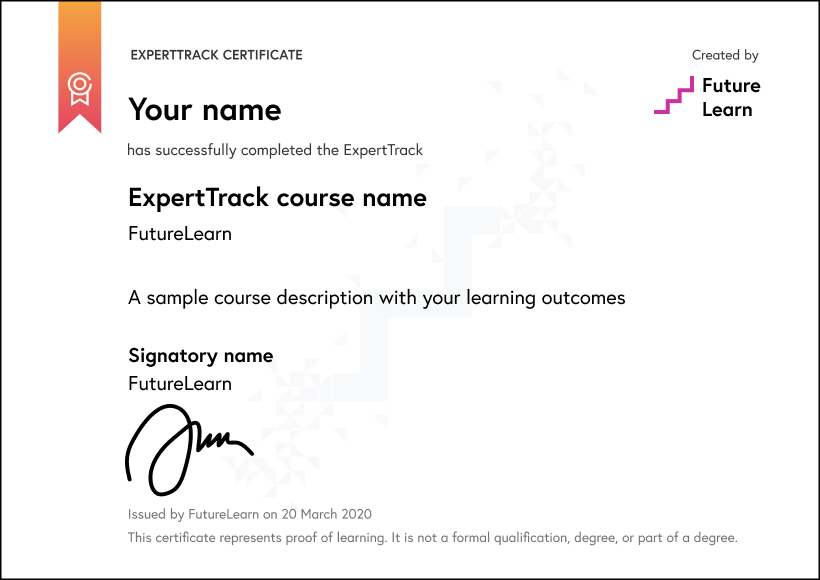
Download a PDF
Learning on this course
On every step of the course you can meet other learners, share your ideas and join in with active discussions in the comments.
What will you achieve?
By the end of the course, you‘ll be able to...
- Explain how tools, structured outputs, and function calling help AI agents interact with external systems.
- Apply function calling workflows by defining tool schemas, routing model requests, executing Python functions, and returning tool results.
- Develop custom agent tools and MCP-based interactions for controlled access to resources, databases, and external services.
- Compare agent framework approaches using LangGraph, OpenAI Agents SDK, and CrewAI for research-agent workflows.
- Evaluate secure and resilient tool workflows using authentication, permission scoping, retries, backoff, fallback behaviour, and production-readiness checks.
Who is the course for?
This course is for technology enthusiasts, software developers, data professionals, product managers, and business leaders who want to understand agentic AI.
Learners should understand basic LLM concepts, prompt engineering, Python basics, APIs, and agent design patterns such as ReAct or reflection. Completion of Course 1 is recommended.
What software or tools do you need?
Learners need a computer (Windows, macOS, or Linux) with at least 8 GB RAM and a stable internet connection. Python 3.10 or later should be installed, along with a code editor such as VS Code. No paid software or specialised hardware is required.
Who will you learn with?

Who developed the course?
Edureka
Edureka is a global online learning platform offering industry-focused training in emerging technologies such as Cloud, AI, GenAI, Data Science, DevOps, and Cybersecurity, helping professionals upskill and advance their careers.

Start learning today - free 2-day trial
After your free trial you can:
- Pay $39 per month to keep learning online
- Have complete control over your subscription; you can cancel any time
- Work at your own pace and set your own deadlines at every stage
- Only pay while you’re learning; the subscription will cancel automatically when you finish
- Complete online assessments to test your knowledge and prove your skills
- Earn digital course certificates and a final award that you can share online, with potential employers, and your professional network
- Keep access to the content of courses you complete even after your subscription ends
Learning on FutureLearn
Your learning, your rules
- Courses are split into weeks, activities, and steps to help you keep track of your learning
- Learn through a mix of bite-sized videos, long- and short-form articles, audio, and practical activities
- Stay motivated by using the Progress page to keep track of your step completion and assessment scores
Join a global classroom
- Experience the power of social learning, and get inspired by an international network of learners
- Share ideas with your peers and course educators on every step of the course
- Join the conversation by reading, @ing, liking, bookmarking, and replying to comments from others
Map your progress
- As you work through the course, use notifications and the Progress page to guide your learning
- Whenever you’re ready, mark each step as complete, you’re in control
- Complete 90% of course steps and all of the assessments to earn your certificate
Want to know more about learning on FutureLearn? Using FutureLearn


