This course is part of the Generative AI for Workflow Automation ExpertTrack
Getting Started with Generative AI and Workflow Automation
Build a foundation in generative AI, prompt engineering, and workflow automation for practical business tasks.

Duration
3 weeksWeekly study
3 hours100% online
How it worksIncluded in an ExpertTrack
Course 1 of 4
Getting Started with Generative AI and Workflow Automation
Strengthen your generative AI and automation foundations
Generative AI can support a growing range of business tasks, but effective automation starts with understanding what the technology can and cannot do.
On this ExpertTrack you’ll build a practical foundation in generative AI, prompt engineering, and workflow automation.
Explore how language models process context and produce outputs before learning how to structure prompts using role, context, task, format, and constraints.
You’ll apply techniques including zero-shot, few-shot, chain-of-thought, and iterative refinement.
Create reusable prompts for business tasks
Learn how to break complex requests into smaller prompting steps and design reusable prompt libraries for recurring work.
Apply these techniques to tasks such as email drafting, meeting summaries, data classification, and SOP writing.
Understand AI workflow automation
Discover the fundamentals of workflow design and no-code automation.
You’ll explore triggers, actions, and AI steps, seeing how generative AI can become one part of a larger automated process.
Connect AI to workplace systems
Learn how information moves between workflow steps by passing dynamic data, mapping variables, and sending AI-generated outputs to spreadsheets and productivity tools.
By the end of the course, you’ll understand the foundations of generative AI and be able to design prompts and simple AI-powered workflows for practical business use.
Syllabus
Week 1
Generative AI: From Models to Meaningful Results


Kick-Start Your Generative AI Journey
Discover the role of generative AI in workflow automation and connect its capabilities to everyday workplace tasks.

Building Your Generative AI Foundation
Explore core AI and generative AI concepts, key differences from traditional tools, and common business applications.

Exploring How Generative AI Models Generate Outputs
Understand how generative AI models and large language models process context and generate meaningful responses.

Evaluating Generative AI for Real-World Use
Examine GenAI tools, capabilities, limitations, common errors, and responsible practices for practical workplace use.
Week 2
Prompt Engineering for Smarter Workflow Automation

Foundations of Effective Prompting
Learn the core elements of effective prompts, structured prompting frameworks, and common prompt types for business tasks.

Applying Prompting Techniques for Better Results
Apply zero-shot, one-shot, few-shot, role-based, iterative, and decomposition techniques to improve AI-generated results.

Turning Prompts into Reusable Business Assets
Create, organize, refine, and version reusable prompt templates that support consistent results across recurring workflows.
Week 3
AI-Powered Workflow Automation with Zapier

Moving from Tasks to Automated Workflows
Identify automation opportunities, understand workflow fundamentals, and get started with building automated processes in Zapier.

Building Blocks of No-Code Automation
Build workflows using triggers, actions, field mapping, filters, conditional logic, and prompts to control automated processes.

Your First AI-Connected Workflow
Connect AI services to automated workflows, use AI for workplace tasks and decisions, and test workflows for reliable results.
Prove you're job ready
Highlight the new, job-relevant skills you’ve gained and supplement existing qualifications with a hard-earned, industry-specific digital certificate – plus one for every course within your ExpertTrack.
- Learn the latest in your chosen industry or subject.
- Complete each course and pass assessments.
- Receive certificates validated by the educating organisation.
- Impress employers with learning outcomes you can add to your CV.
- Make your career dreams a reality.
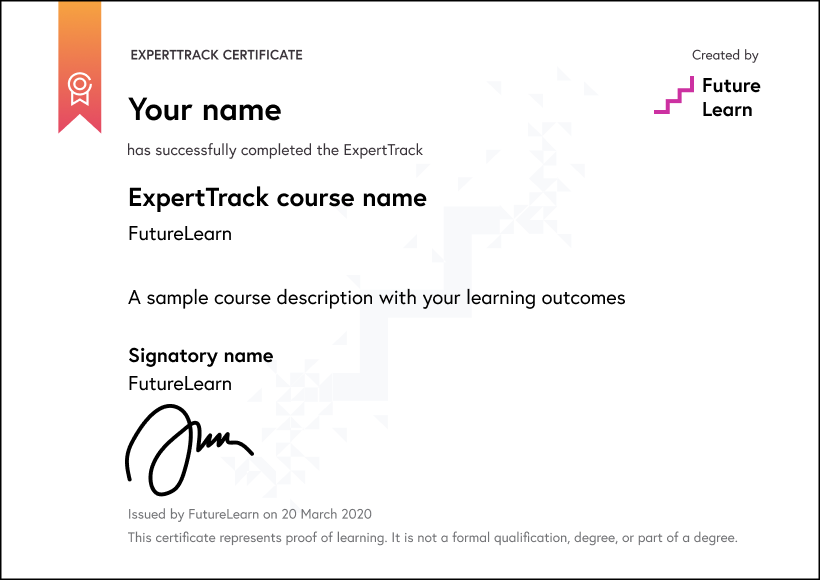
Download a PDF
Learning on this course
On every step of the course you can meet other learners, share your ideas and join in with active discussions in the comments.
What will you achieve?
By the end of the course, you‘ll be able to...
- Explain how generative AI, large language models, and context windows support business-focused AI outputs.
- Identify suitable generative AI tools and use cases for everyday workplace tasks.
- Apply prompt engineering techniques, including RACE, zero-shot, one-shot, few-shot, and role-based prompting.
- Develop reusable prompt templates and prompt libraries for recurring business workflows.
- Create simple AI-powered automations using Zapier triggers, actions, filters, and AI-connected workflow steps.
Who is the course for?
This ExpertTrack is ideal for business, operations, project, and technology professionals who want practical skills in generative AI, prompt engineering, and workflow automation. No prior AI or automation experience is required.
What software or tools do you need?
No prior generative AI, prompt engineering, or workflow automation experience is required. The course introduces the tools and setup you need from the beginning, including Google Workspace, Zapier, and the AI services used in the practical activities. You will need access to a suitable computer, a stable internet connection and the relevant online accounts to follow the hands-on exercises.
Who will you learn with?

Who developed the course?
Edureka
Edureka is a global online learning platform offering industry-focused training in emerging technologies such as Cloud, AI, GenAI, Data Science, DevOps, and Cybersecurity, helping professionals upskill and advance their careers.

Start learning today - free 2-day trial
After your free trial you can:
- Pay $39 per month to keep learning online
- Have complete control over your subscription; you can cancel any time
- Work at your own pace and set your own deadlines at every stage
- Only pay while you’re learning; the subscription will cancel automatically when you finish
- Complete online assessments to test your knowledge and prove your skills
- Earn digital course certificates and a final award that you can share online, with potential employers, and your professional network
- Keep access to the content of courses you complete even after your subscription ends
Learning on FutureLearn
Your learning, your rules
- Courses are split into weeks, activities, and steps to help you keep track of your learning
- Learn through a mix of bite-sized videos, long- and short-form articles, audio, and practical activities
- Stay motivated by using the Progress page to keep track of your step completion and assessment scores
Join a global classroom
- Experience the power of social learning, and get inspired by an international network of learners
- Share ideas with your peers and course educators on every step of the course
- Join the conversation by reading, @ing, liking, bookmarking, and replying to comments from others
Map your progress
- As you work through the course, use notifications and the Progress page to guide your learning
- Whenever you’re ready, mark each step as complete, you’re in control
- Complete 90% of course steps and all of the assessments to earn your certificate
Want to know more about learning on FutureLearn? Using FutureLearn


