This course is part of the Data Analytics for Decision Making with Tableau ExpertTrack
Enterprise Tableau Cloud, Server, and Analytics Operations
Turn your Tableau dashboards into business-ready analytics that are shared, maintained, and built to last.

Duration
3 weeksWeekly study
3 hours100% online
How it worksIncluded in an ExpertTrack
Course 3 of 4
Enterprise Tableau Cloud, Server, and Analytics Operations
Move from Tableau dashboards to enterprise analytics
Creating a dashboard is only the beginning of professional Tableau development. On this three-week course, you’ll learn how Tableau content is managed after it has been built, developing the skills needed to publish, share, maintain, and support dashboards in an enterprise environment.
You’ll explore Tableau Cloud and Tableau Server, learning how to publish workbooks and data sources and organise content using sites, projects, users, groups, and ownership rules. You’ll also discover how subscriptions, alerts, comments, favourites, and collaboration features support effective business reporting.
Learn Tableau administration and content management
Reliable analytics depends on keeping data and dashboards up to date. You’ll learn how to manage scheduled refreshes, extracts, live connections, and Tableau Bridge, while exploring processes for validating refreshes and maintaining published content.
You’ll also learn how to monitor dashboard usage and adoption, manage workbook versions, and establish effective subscription and alerting processes. These skills will help you understand how Tableau operates as an ongoing analytics platform rather than simply a data visualisation tool.
Prepare Tableau content for production
Discover the enterprise reporting lifecycle and learn how Tableau dashboards move from development towards production.
By applying these practices, you’ll learn how to prepare Tableau content for professional rollout and contribute to analytics environments that are organised, reliable, and ready for business use.
By the end of the course, you’ll have the Tableau administration and deployment skills to support professional analytics environments.
Syllabus
Week 1
Publishing, Content Management, and Collaboration


Navigating Your Enterprise Tableau Journey
Begin the enterprise Tableau journey by exploring how analytics moves beyond Desktop and considering how organisations share, manage, and collaborate on analytical content.

Explore Tableau Cloud and Server
Explore Tableau Cloud and Server, including deployment models, licensing, architecture, cloud navigation, and key considerations for choosing and accessing an enterprise Tableau environment.

Publish and Organise Enterprise Content
Learn how to publish Tableau content and organise projects, workbooks, views, data sources, users, groups, and ownership for scalable enterprise content management.

Share and Collaborate with Tableau Content
Explore ways to distribute and collaborate on Tableau content using sharing settings, subscriptions, alerts, comments, favorites, and other features that help teams access relevant insights.
Week 2
Refresh, Distribution, and Operational Management

Keep Published Analytics Current
Learn how to keep published Tableau analytics current by managing live connections, extracts, refresh schedules, Tableau Bridge, and common refresh issues.

Manage Content Distribution and Access Experiences
Explore how to manage published content, workbook versions, web authoring, mobile access, and dashboard rollouts to deliver reliable analytics experiences across teams.

Monitor Adoption and Operational Readiness
Track Tableau usage and adoption while applying change management, operational checks, stakeholder handoffs, and ownership practices to support analytics over time.
Week 3
Enterprise Reporting Lifecycle and Deployment Readiness

Move Tableau Content from Development to Production
Learn how to move Tableau content towards production through workbook preparation, release planning, promotion processes, user acceptance testing, and documentation.

Validate and Maintain Enterprise Tableau Solutions
Explore how to maintain reliable enterprise Tableau solutions through quality assurance, version control, change management, support planning, and deployment-readiness checks.
Prove you're job ready
Highlight the new, job-relevant skills you’ve gained and supplement existing qualifications with a hard-earned, industry-specific digital certificate – plus one for every course within your ExpertTrack.
- Learn the latest in your chosen industry or subject.
- Complete each course and pass assessments.
- Receive certificates validated by the educating organisation.
- Impress employers with learning outcomes you can add to your CV.
- Make your career dreams a reality.
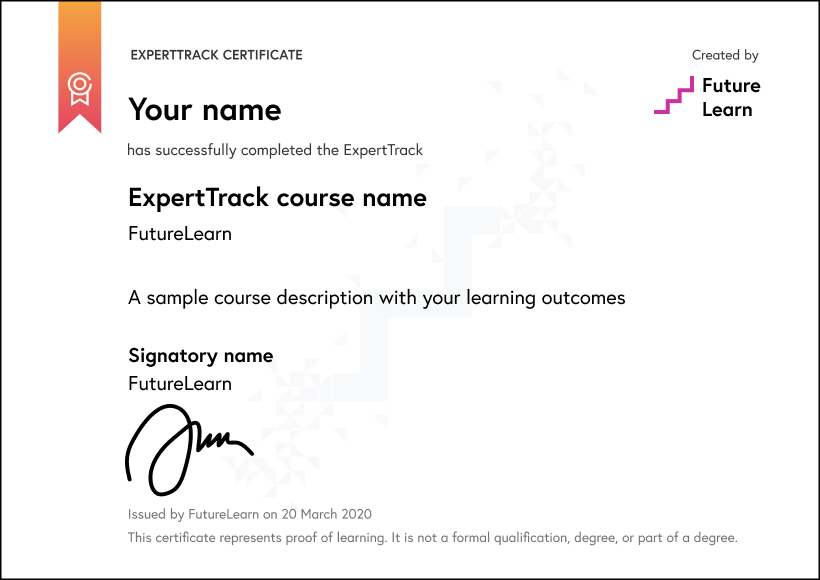
Download a PDF
Learning on this course
On every step of the course you can meet other learners, share your ideas and join in with active discussions in the comments.
What will you achieve?
By the end of the course, you‘ll be able to...
- Apply Tableau Cloud and Server features to publish, organise, and distribute enterprise analytics content.
- Demonstrate refresh operations, Tableau Bridge, subscriptions, alerts, and access settings for managing published analytics.
- Assess usage metrics and operational signals to understand content adoption and reporting readiness.
- Create structured workflows for content updates, ownership, stakeholder handoffs, and change management.
- Design reliable deployment practices using testing, QA, version control, release planning, and ongoing maintenance.
Who is the course for?
This course is designed for learners who are ready to move beyond creating Tableau dashboards and begin managing analytics content in a professional enterprise setting. Learners should already be familiar with Tableau Desktop, basic charts, dashboards, filters, and simple calculations before joining this course.
It is suitable for Tableau developers, BI analysts, data analysts, reporting specialists, analytics consultants, and early-stage Tableau administrators who want to understand how Tableau workbooks, data sources, users, and reporting workflows are handled after dashboards are built.
The course will also benefit business and technical professionals in departments such as finance, operations, sales, HR, healthcare, retail, consulting, and technology, where Tableau dashboards are shared across teams and must remain reliable, secure, refreshed, and easy to maintain.
Who will you learn with?

Who developed the course?

Edureka
Edureka is a global online learning platform offering industry-focused training in emerging technologies such as Cloud, AI, GenAI, Data Science, DevOps, and Cybersecurity, helping professionals upskill and advance their careers.

Start learning today - free 2-day trial
After your free trial you can:
- Pay $39 per month to keep learning online
- Have complete control over your subscription; you can cancel any time
- Work at your own pace and set your own deadlines at every stage
- Only pay while you’re learning; the subscription will cancel automatically when you finish
- Complete online assessments to test your knowledge and prove your skills
- Earn digital course certificates and a final award that you can share online, with potential employers, and your professional network
- Keep access to the content of courses you complete even after your subscription ends
Learning on FutureLearn
Your learning, your rules
- Courses are split into weeks, activities, and steps to help you keep track of your learning
- Learn through a mix of bite-sized videos, long- and short-form articles, audio, and practical activities
- Stay motivated by using the Progress page to keep track of your step completion and assessment scores
Join a global classroom
- Experience the power of social learning, and get inspired by an international network of learners
- Share ideas with your peers and course educators on every step of the course
- Join the conversation by reading, @ing, liking, bookmarking, and replying to comments from others
Map your progress
- As you work through the course, use notifications and the Progress page to guide your learning
- Whenever you’re ready, mark each step as complete, you’re in control
- Complete 90% of course steps and all of the assessments to earn your certificate
Want to know more about learning on FutureLearn? Using FutureLearn


