This course is part of the Generative AI for Software Developers ExpertTrack
Generative AI Foundations for Software Development Life Cycle (SDLC)
Explore how generative AI can support planning, requirements, design, and documentation across the software development lifecycle.

Duration
3 weeksWeekly study
3 hours100% online
How it worksIncluded in an ExpertTrack
Course 1 of 3
Generative AI Foundations for Software Development Life Cycle (SDLC)
Bring generative AI into the software development lifecycle
Generative AI is changing how software teams approach the earliest stages of creating digital products.
On this introductory course, you’ll explore how large language models work and how they can support the Software Development Life Cycle (SDLC) — the process of planning, designing, creating, testing, deploying, and maintaining software.
You’ll examine how generative AI and code-specialised models are trained, what they can do well, and where their limitations lie.
You’ll also explore how AI developer tools fit into modern engineering workflows and where human judgement remains essential.
Shape better technical prompts
Explore prompting patterns designed for software development tasks, including context setting, constraints, and iterative refinement.
You’ll practise adjusting prompts to produce clearer, more relevant outputs and see how different approaches can support technical decision-making.
Support planning, requirements, and design with AI
Apply generative AI to early SDLC activities such as drafting user stories, clarifying specifications, exploring design ideas, and producing technical documentation.
You’ll examine where AI can accelerate routine work while keeping developers responsible for reviewing and validating its output.
Navigate the risks of AI-assisted development
Investigate hallucinations, output quality, security, and intellectual property considerations when using generative AI in software work.
You’ll then bring these principles together by shaping an AI-assisted workflow for planning and design tasks.
By the end, you’ll understand how to apply generative AI thoughtfully across the early stages of the SDLC and be ready to progress into AI-assisted coding, testing, and debugging.
Syllabus
Week 1
Understand Generative AI and Build an AI-Augmented Developer Setup


Map Generative AI Opportunities Across the Software Development Lifecycle
This lightweight opening activity helps developers connect the specialization to their own workflow and identify practical opportunities for generative AI across planning, design, development, testing, deployment, and maintenance.

Generate and Inspect LLM Outputs for Developer Tasks
Developers move from GenAI basics to direct LLM interaction, comparing outputs, testing context changes, and understanding model capabilities and limitations before applying AI to software tasks.

Configure an AI-Assisted Developer Workspace and Connect Model Mechanics to Tools
Developers connect transformer behaviour to practical developer tools, then configure AI assistants they can use throughout the course. The emphasis is on seeing the technology work rather than studying architecture in depth.
Week 2
Prompt, Refine, and Produce Early-SDLC Artifacts

Create and Test Reliable Prompts for Technical Tasks
Developers build a repeatable prompting method and test how examples, constraints, and desired outputs change model responses for technical tasks.

Refine Requirements into User Stories, Specifications, and Design Options
Developers use iterative prompting and context to turn ambiguous feature ideas into clearer requirements, user stories, acceptance criteria, design alternatives, and early technical documentation.
Week 3
Evaluate, Secure, and Govern AI-Assisted Development

Evaluate AI Outputs and Surface Quality, Hallucination, and Security Risks
Developers test AI outputs rather than accepting them at face value. They examine evaluation approaches, responsible-AI concerns, and adversarial behaviour, then convert the findings into a practical review checklist.

Apply Guardrails and Human Oversight to a Responsible AI Workflow
Developers finish the course by combining security controls, human review, and verification into a repeatable AI-assisted workflow for planning, requirements, design, and documentation.
Prove you're job ready
Highlight the new, job-relevant skills you’ve gained and supplement existing qualifications with a hard-earned, industry-specific digital certificate – plus one for every course within your ExpertTrack.
- Learn the latest in your chosen industry or subject.
- Complete each course and pass assessments.
- Receive certificates validated by the educating organisation.
- Impress employers with learning outcomes you can add to your CV.
- Make your career dreams a reality.
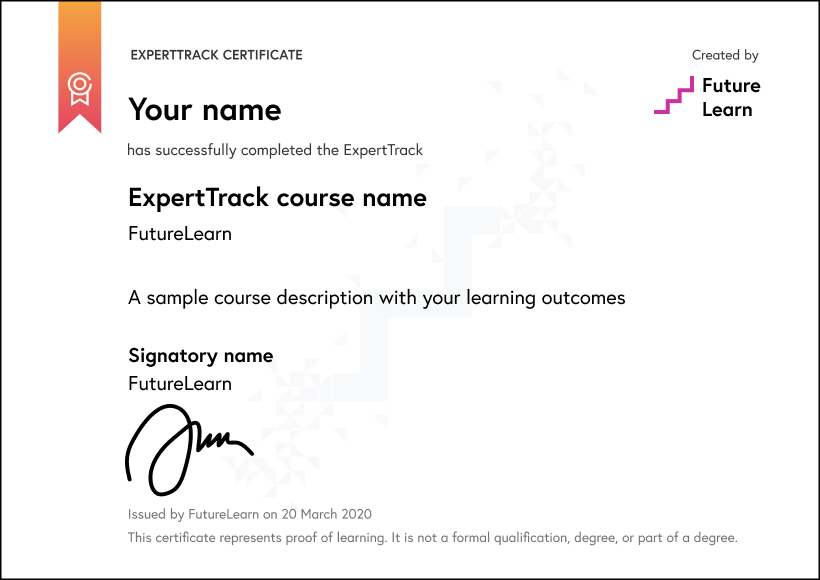
Download a PDF
Learning on this course
On every step of the course you can meet other learners, share your ideas and join in with active discussions in the comments.
What will you achieve?
By the end of the course, you‘ll be able to...
- Explain the fundamentals of generative AI, large language models, and their applications across the software development lifecycle.
- Apply prompt engineering techniques, including context structuring, constraints, and iterative refinement, to technical development tasks.
- Create early-SDLC artefacts such as refined requirements, user stories, specifications, acceptance criteria, and design options using AI-assisted workflows.
- Develop verification strategies for reviewing and refining AI-generated outputs before they influence software design or implementation decisions.
- Evaluate AI-assisted development workflows using verification practices, guardrails, and human oversight to support responsible AI use.
Who is the course for?
This course is designed for software engineers, web and application developers, technical leads, QA and DevOps professionals who want to apply generative AI across early SDLC tasks. Programming experience is required; prior AI knowledge is not.
What software or tools do you need?
Learners need a computer and a stable internet connection to follow the course demonstrations and explore AI-assisted development workflows. The course introduces tools such as Cursor, Tabnine, Copilot Agent Mode, and Snyk. Specific operating system requirements, installation requirements, account requirements, and licensing details are not fully specified in the course material and should be confirmed before finalising the setup instructions.
Who will you learn with?

Who developed the course?
Edureka
Edureka is a global online learning platform offering industry-focused training in emerging technologies such as Cloud, AI, GenAI, Data Science, DevOps, and Cybersecurity, helping professionals upskill and advance their careers.

Start learning today - free 2-day trial
After your free trial you can:
- Pay $39 per month to keep learning online
- Have complete control over your subscription; you can cancel any time
- Work at your own pace and set your own deadlines at every stage
- Only pay while you’re learning; the subscription will cancel automatically when you finish
- Complete online assessments to test your knowledge and prove your skills
- Earn digital course certificates and a final award that you can share online, with potential employers, and your professional network
- Keep access to the content of courses you complete even after your subscription ends
Learning on FutureLearn
Your learning, your rules
- Courses are split into weeks, activities, and steps to help you keep track of your learning
- Learn through a mix of bite-sized videos, long- and short-form articles, audio, and practical activities
- Stay motivated by using the Progress page to keep track of your step completion and assessment scores
Join a global classroom
- Experience the power of social learning, and get inspired by an international network of learners
- Share ideas with your peers and course educators on every step of the course
- Join the conversation by reading, @ing, liking, bookmarking, and replying to comments from others
Map your progress
- As you work through the course, use notifications and the Progress page to guide your learning
- Whenever you’re ready, mark each step as complete, you’re in control
- Complete 90% of course steps and all of the assessments to earn your certificate
Want to know more about learning on FutureLearn? Using FutureLearn


