Generative AI for Software Developers
Reimagine your development workflow with generative AI, from smarter planning and coding to intelligent features in production.

Duration
Approx 9 weeks3 hrs per week

Transform the software lifecycle with generative AI
Generative AI is reshaping how software moves from an initial idea to a production-ready application.
On this three-course ExpertTrack, you’ll explore where AI can add value across the software development lifecycle while learning how to use it critically, responsibly, and with the developer firmly in control.
Start with large language model fundamentals and prompt engineering before applying generative AI to requirements, user stories, design, and documentation.
You’ll learn to recognise hallucinations, assess output quality, and account for security and intellectual property risks as you establish an AI-assisted development workflow.
Accelerate coding, testing, and debugging
Move into the everyday work of software engineering. Use AI to generate and refactor code, surface edge cases, create unit tests, diagnose errors, and maintain technical documentation.
Throughout the ExpertTrack, you’ll focus on verifying AI output rather than accepting it at face value.
Engineer intelligent application features
Progress from using AI as a development assistant to integrating large language models into applications through APIs, SDKs, and prompt orchestration.
Explore retrieval-augmented generation, embeddings, vector stores, semantic search, assistants, and summarisation.
Take AI-powered software into production
Examine how intelligent features are evaluated, monitored, versioned, and maintained once deployed.
You’ll consider reliability, latency, cost, privacy, security, bias, and governance as you move towards production-grade AI engineering.
By the end, you’ll be equipped to use generative AI throughout software development and create intelligent features that can operate reliably in real applications.
Key skills you will learn
- AI
- Generative AI
- Software Development
Experience required
This ExpertTrack is ideal for software engineers, web and application developers, full stack developers, and technical professionals who want to apply generative AI across development workflows and create intelligent software features.
This pathway starts at an introductory AI level but assumes existing software development experience. You should be comfortable working in at least one programming language and familiar with how applications are planned, written, tested, and deployed. No prior AI or machine learning experience is required for the first course.
Getting started
Choose this ExpertTrack if you want to go beyond simply experimenting with AI tools and understand how generative AI can support the full software development lifecycle. It is particularly relevant for developers looking to work more effectively with AI, modernise their engineering workflow, or progress towards creating AI-powered application features such as assistants, semantic search, summarisation, and RAG-based experiences.
ExpertTrack course overview
Course 1


Generative AI Foundations for Software Development Life Cycle (SDLC)
Explore how generative AI can support planning, requirements, design, and documentation across the software development lifecycle.
3 tests
3 weeks
3 hours per week
Week 1
Understand Generative AI and Build an AI-Augmented Developer Setup
- Map Generative AI Opportunities Across the Software Development Lifecycle
- Generate and Inspect LLM Outputs for Developer Tasks
- Configure an AI-Assisted Developer Workspace and Connect Model Mechanics to Tools
Week 2
Prompt, Refine, and Produce Early-SDLC Artifacts
- Create and Test Reliable Prompts for Technical Tasks
- Refine Requirements into User Stories, Specifications, and Design Options
Week 3
Evaluate, Secure, and Govern AI-Assisted Development
- Evaluate AI Outputs and Surface Quality, Hallucination, and Security Risks
- Apply Guardrails and Human Oversight to a Responsible AI Workflow
Course 2

AI-Assisted Coding, Testing, and Debugging for Developers
Put generative AI to work across coding, testing, debugging, and documentation while keeping quality and dev oversight intact.
3 tests
3 weeks
3 hours per week
Week 1
AI-Assisted Code Generation and Refactoring
- Configure an AI-Assisted Coding Workflow
- Generate Working Code from Requirements and Context
- Refactor Code for Readability, Performance, and Best Practices
Week 2
AI-Assisted Testing, Debugging, and Fix Validation
- Generate Unit Tests and Edge Cases to Improve Coverage
- Diagnose Failures and Produce Candidate Fixes
- Validate Fixes and Strengthen Code Quality
Week 3
Documentation and an Effective AI-Assisted Build-and-Test Workflow
- Produce Documentation and Automate Development Tasks with AI Agents
- Assemble and Verify an End-to-End AI-Assisted Build-and-Test Workflow
Course 3

Building and Deploying Intelligent Features with Generative AI
Move from using AI tools to creating intelligent application features with LLMs, RAG, semantic search, and production workflows.
3 tests
3 weeks
3 hours per week
Week 1
Integrating LLMs and Building Intelligent Application Features
- Define the Intelligent Feature You Will Build
- Connect an Application to an LLM and Invoke Tools
- Build a User-Facing Intelligent Feature
Week 2
Grounding Intelligent Features with Embeddings, Vector Stores, RAG, and Evaluation
- Build a Semantic Retrieval Layer for Custom Data
- Assemble a Grounded RAG Feature from Custom Data
- Measure and Improve AI Feature Quality, Reliability, Cost, and Latency
Week 3
Deploying and Operating Intelligent AI Features in Production
- Deploy and Version an AI-Powered Feature
- Monitor and Govern an AI Feature in Production
Prove you're job ready
Highlight the new, job-relevant skills you’ve gained and supplement existing qualifications with a hard-earned, industry-specific digital certificate – plus one for every course within your ExpertTrack.
- Learn the latest in your chosen industry or subject.
- Complete each course and pass assessments.
- Receive certificates validated by the educating organisation.
- Impress employers with learning outcomes you can add to your CV.
- Make your career dreams a reality.
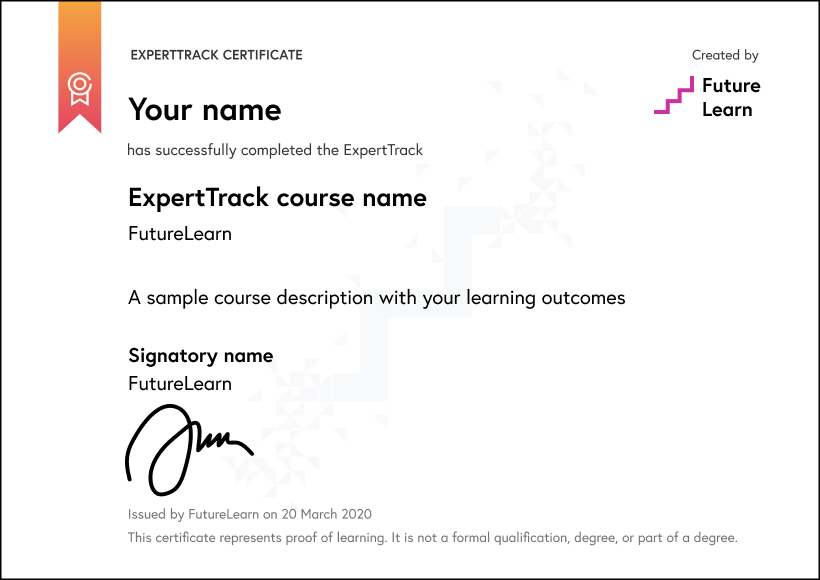
Download a PDF
How ExpertTracks work
Join an ExpertTrack to master new skills in your chosen specialist area. Work through a series of topic-focused courses at your own pace, and pass the final assessment to earn a digital certificate award which proves your expertise.
Decide if the ExpertTrack is right for you with free access to the full suite of courses and assessments for a week.
Pay a monthly subscription fee of $39 for as long as it takes you to complete the ExpertTrack. You can learn at your own pace and cancel at any time.
Receive a certificate for every completed course and pass the final assessment to earn a digital certificate.
Use your specialist training to progress further in your career or build expertise in areas you’re passionate about.
World-class learning with Edureka
Edureka is a global online learning platform offering industry-focused training in emerging technologies such as Cloud, AI, GenAI, Data Science, DevOps, and Cybersecurity, helping professionals upskill and advance their careers.
Learning on FutureLearn
Your learning, your rules
- Courses are split into weeks, activities, and steps to help you keep track of your learning
- Learn through a mix of bite-sized videos, long- and short-form articles, audio, and practical activities
- Stay motivated by using the Progress page to keep track of your step completion and assessment scores
Join a global classroom
- Experience the power of social learning, and get inspired by an international network of learners
- Share ideas with your peers and course educators on every step of the course
- Join the conversation by reading, @ing, liking, bookmarking, and replying to comments from others
Map your progress
- As you work through the course, use notifications and the Progress page to guide your learning
- Whenever you’re ready, mark each step as complete, you’re in control
- Complete 90% of course steps and all of the assessments to earn your certificate
Want to know more about learning on FutureLearn? Using FutureLearn
What are our learners saying?
Add a new skill or forge a new path
"I recommend Futurelearn to anyone looking to learn and upskill...If you are in the job market, you might want to add a new skill or forge a new path."
They bring the classroom right to you
"FutureLearn courses are always interesting and informative. They bring the classroom right to you and send you on a journey to explore new ideas and offer interesting topics."
Start learning today - free 2-day trial
After your free trial you can:
- Pay $39 per month to keep learning online
- Have complete control over your subscription; you can cancel any time
- Work at your own pace and set your own deadlines at every stage
- Only pay while you’re learning; the subscription will cancel automatically when you finish
- Complete online assessments to test your knowledge and prove your skills
- Earn digital course certificates and a final award that you can share online, with potential employers, and your professional network
- Keep access to the content of courses you complete even after your subscription ends
FAQ
ExpertTracks are a series of online courses designed to help you master new skills in specialist areas. You pay a monthly subscription fee which includes access to all courses within the ExpertTrack, as well as assessments and the final digital certificate.
Each ExpertTrack comes with a 2-day free trial period. You may cancel your subscription at any time and your subscription will automatically cancel when you finish the courses and assessments in your chosen ExpertTrack.
Yes. All of our ExpertTracks come with a 2-day free trial. You may claim one free trial period per ExpertTrack.
You have two days before you will be charged your first monthly subscription fee. When you join an ExpertTrack you automatically receive a 2-day free trial period. You can cancel at any time during the trial period and no payment will be taken from your account.
Please see our full refund policy here.
No, all of our ExpertTracks consist of fully online courses. This means you can take an ExpertTrack from anywhere in the world.
No. ExpertTracks are designed for you to master new skills in a specialist area. You will earn a digital certificate that proves your learning, but it does not carry accreditation.
If you’re looking for certified or accredited courses, many of our microcredentials offer university credit or professional certification.
Have more questions about ExpertTracks? Read the ExpertTracks FAQs, or contact us.