
What you need
- Access to Scratch 3, either online or installed on your computer
- To be able to create and run Python 3 programs
All the resources required to complete this course can be used for free.
Python
To create Python programs, you need a text editor to write your code and a Python interpreter. You write the code into the text editor and the interpreter executes your code on the computer.
An editor, interpreter, and other useful tools (e.g. a file browser) are often bundled together into an Integrated Development Environment (IDE). IDEs make creating programs much easier.
If you require advice about the options for using Python or instructions for installing Python, please review our guidance on Applications for creating Python programs.
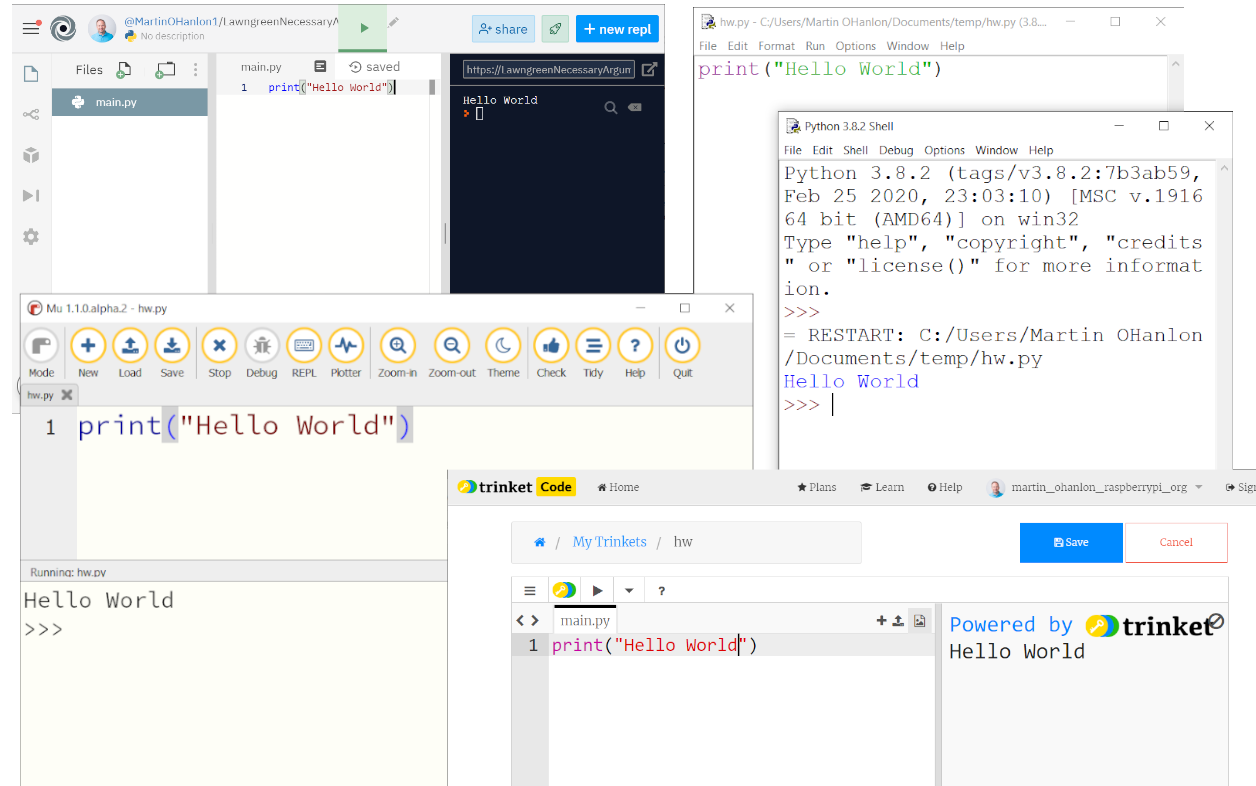
In weeks one to three, you can complete the practical activities using an online Python editor, such as repl.it or trinket.
In week four, I’ll introduce you to Python packages and graphical user interfaces. You will need either a dedicated Python editor or a full Python installation, and the ability to install Python packages. I’ll provide instructions regarding which Python packages to install at the start of week four.
What we use
During the course I will be using:
- Scratch 3 installed on my computer, so I do not have to be connected to the internet
- The Python editor Mu (Alpha), as the simple interface helps when presenting
Note: You do not have to use the same as me.
Getting ready to start can often be the hardest task. Take some time now to find a solution that works for you. Make sure that you have both Scratch and Python ready to go before you continue with this course.
Scratch to Python: Moving from Block- to Text-based Programming


Scratch to Python: Moving from Block- to Text-based Programming





